
Change the status of a reimbursement
Screenshots show the Dutch interface. Menu names and buttons appear here as they appear on screen, in Dutch.
Every reimbursement has a status: approved, refused, submitted or testing. That way you can see where each reimbursement stands.
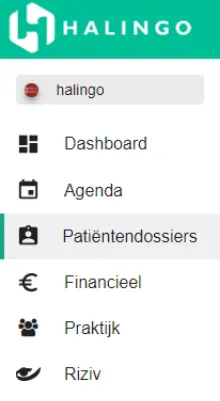
Click patiëntendossiers (patient files) in the left-hand menu and open the file you need.
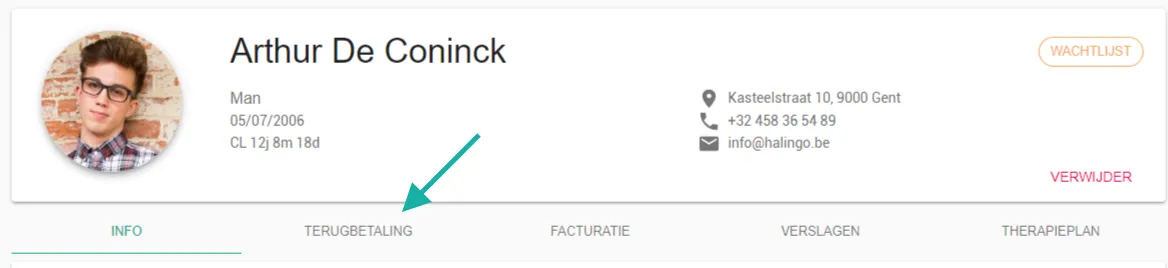
Go to the terugbetaling (reimbursement) tab.
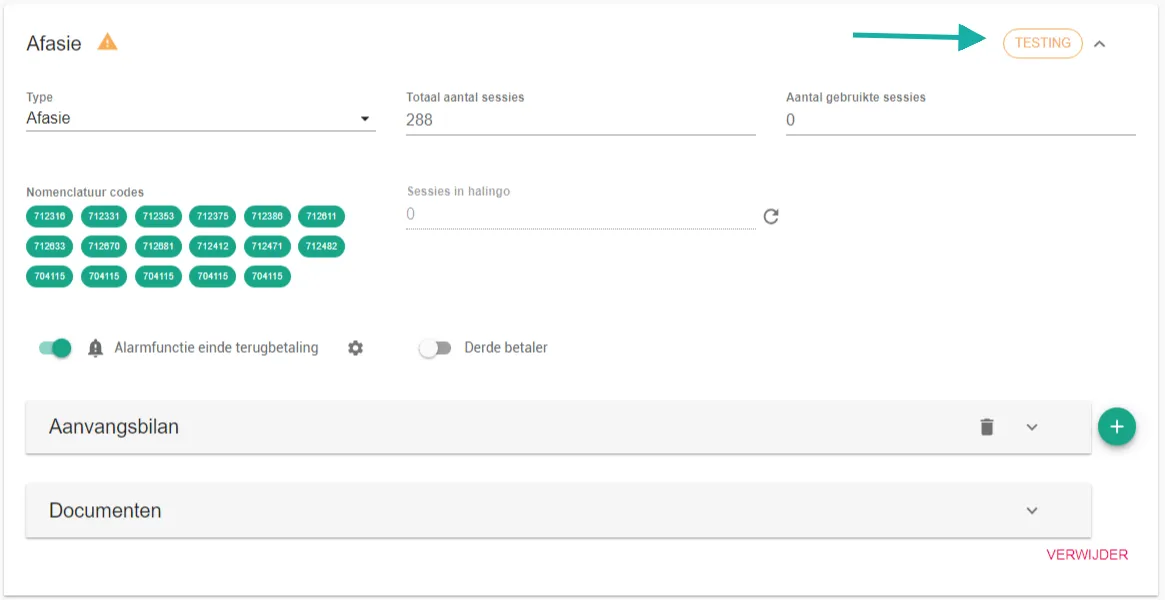
Under status, click the current status next to the name of the treatment.
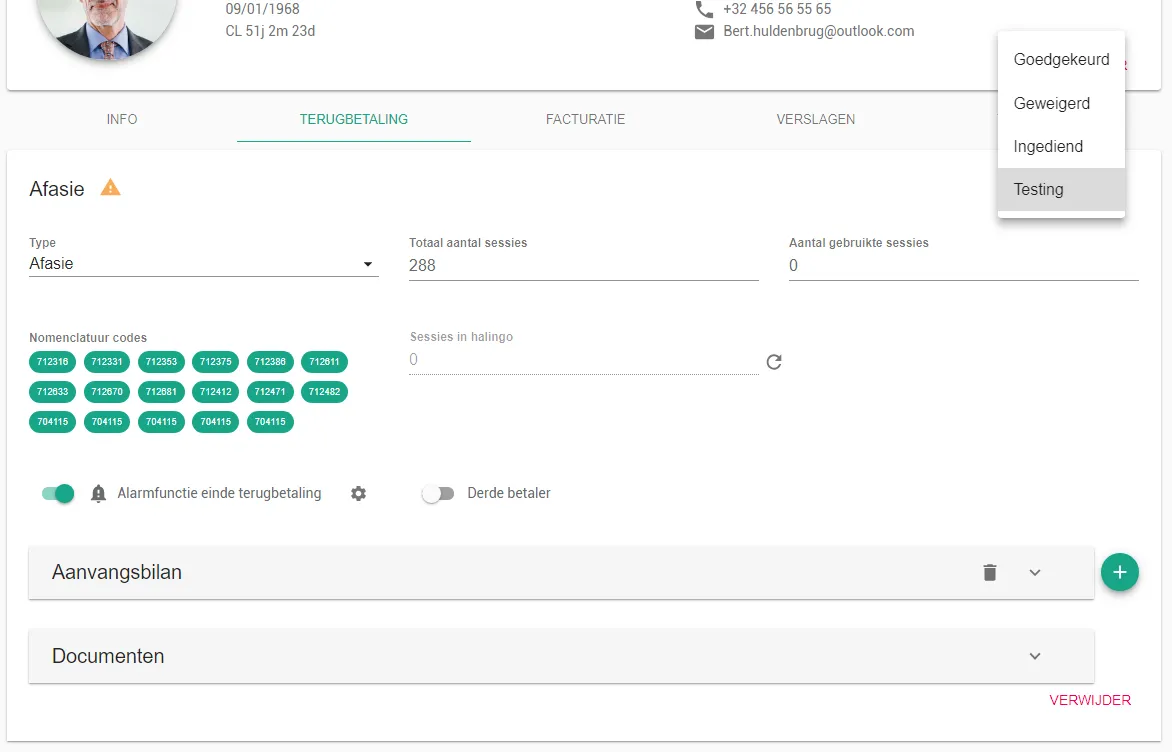
Click the status you want to set.
Was this article helpful?
One more question?Open a ticket and we will look at it with you.
Open a ticket