
Adjusting the margins of the certificate of care
Screenshots show the Dutch interface. Menu names and buttons appear here as they appear on screen, in Dutch.
Does the text of your certificate of care (the Belgian getuigschrift or attestation de soins) not land in the right boxes? Adjust the margins in Halingo. This works independently of the alignment on your dot-matrix printer.
Halingo remembers the margins. You set them once.
For printing certificates, see the article for your browser:
Do a test print first if you have not yet. That shows you where the margins fall without any setting in Halingo. Keep that printed certificate for the next steps.
Does the text need to move vertically? Enter the number of cm in Marge boven (Top margin).
For example: 2 moves everything 2 cm down. -2 moves everything 2 cm up.
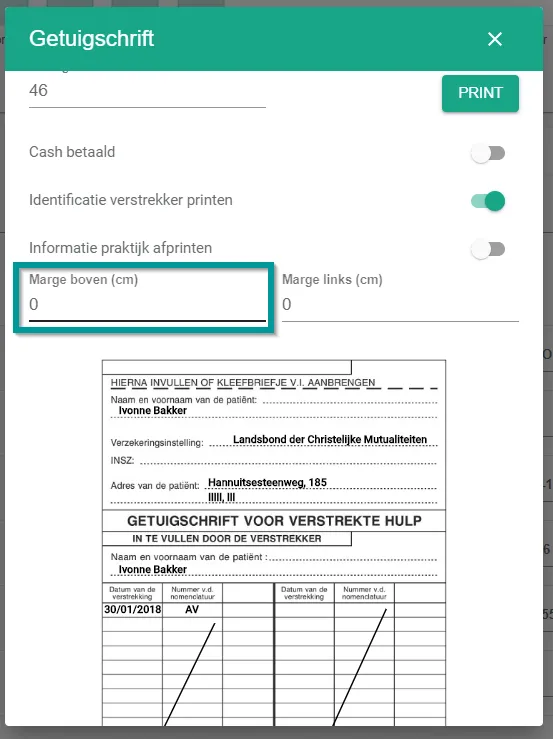
Measure on your test print how far the text has to move up or down.
Does the text need to move horizontally? Enter the number of cm in Marge links (Left margin).
For example: 2 moves everything 2 cm to the right. -2 moves everything 2 cm to the left.
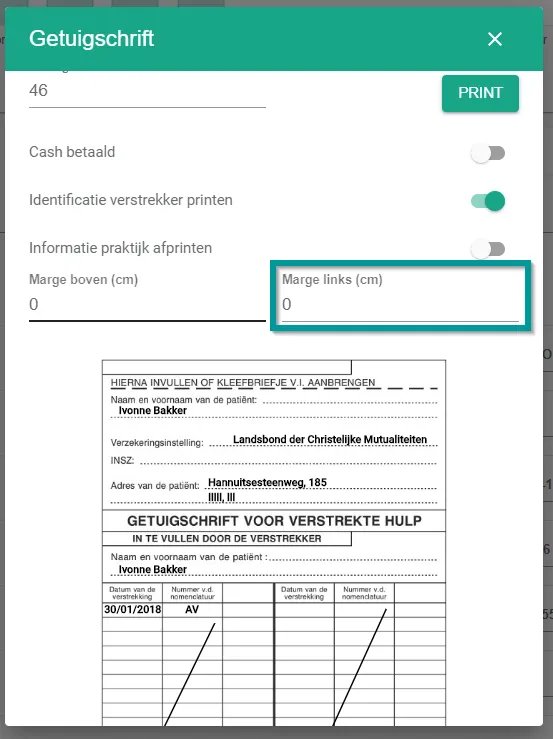
Measure on your test print how far the text has to move left or right.
Was this article helpful?