
Create a new practice
Screenshots show the Dutch interface. Menu names and buttons appear here as they appear on screen, in Dutch.
You can create a second practice alongside an existing one, or start your own practice while you are already a member of another.
Note. A subscription runs per practice and its price depends on the number of users: Basic Practice (1 user), Standard Practice (2 to 5 users) or Premium Practice (more than 5 users). An extra practice therefore means an extra subscription. As a new customer you get a free 30-day trial, once. Current prices are listed on the pricing page of halingo.be.
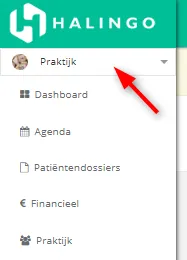
- Click the selectiemenu (selection menu) showing the current practice in the left menu.
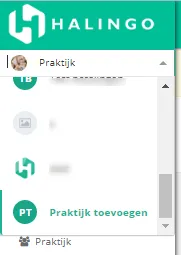
- Click praktijk toevoegen (add practice).
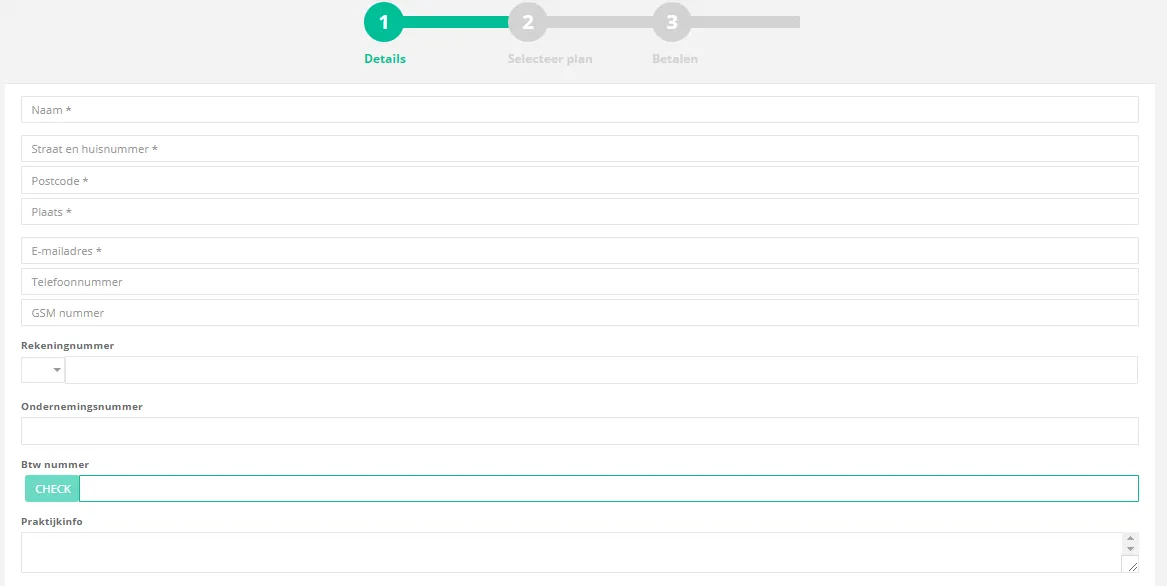
- Fill in the practice details. Fields marked with a * are required. If you enter a VAT number, click check. Halingo verifies that the number is valid.
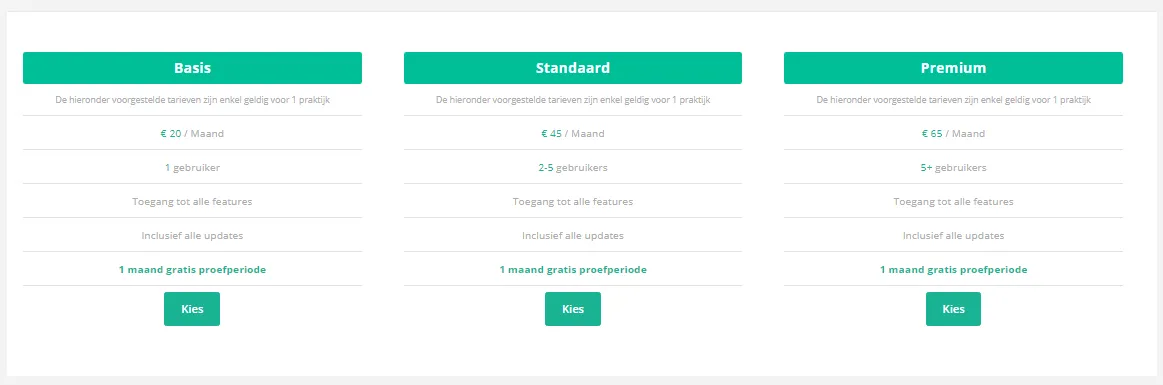
- Kies (Choose) your abonnement (subscription) with the kies button on the plan you want.
The three plans: Basic Practice for 1 user (24,20 euro per month), Standard Practice for 2 to 5 users (54,45 euro per month) and Premium Practice for more than 5 users (78,65 euro per month), per practice. Every plan includes all features and updates. New customers get a free 30-day trial, once. Current prices are on the pricing page of halingo.be (in Dutch).
- Fill in your payment details and click bevestig (confirm). The subscription is billed monthly. You can pay by credit card or via Bancontact, the Belgian debit card scheme.
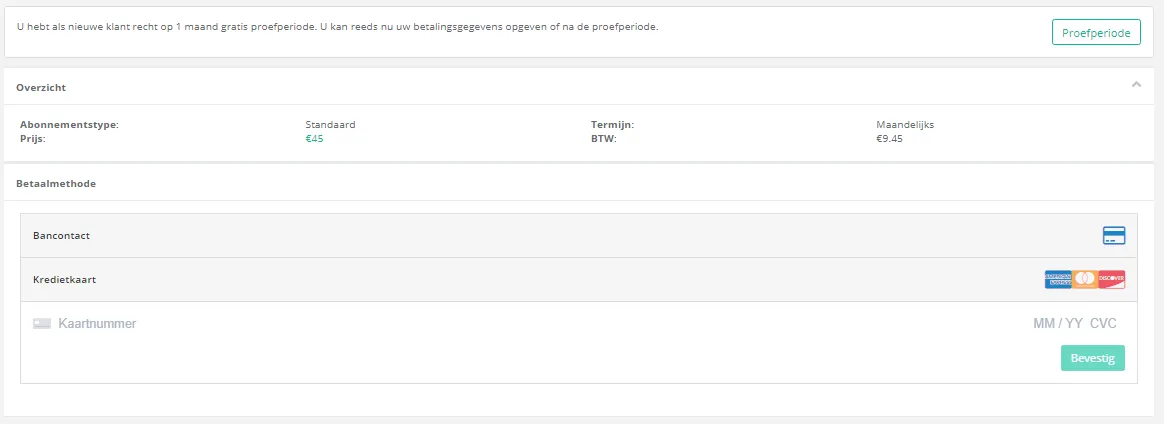
You can also skip the payment details and click proefperiode (trial), then enter them later. The trial is granted once per customer, so not again for a second practice.
Your practice is created.
Was this article helpful?